In today’s digital age, transforming your living space into a smart home is more accessible than ever. With the integration of Internet of Things (IoT) devices, homeowners can enhance convenience, security, and energy efficiency. This comprehensive guide will walk you through the essential steps to build your ultimate smart home, ensuring a seamless and future-proof setup.
A. Understanding Smart Homes and IoT
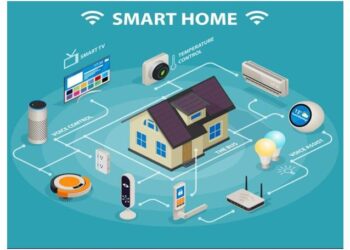
A smart home utilizes IoT technology to connect various devices and systems, allowing for remote monitoring and control. From lighting and thermostats to security systems and appliances, these interconnected devices communicate over the internet to automate and streamline household functions.
B. Planning Your Smart Home
1. Define Your Goals
Before diving into device selection, determine what you aim to achieve with your smart home. Common objectives include:
Convenience: Automating daily tasks like lighting and temperature control.
Security: Enhancing home safety with smart locks and surveillance systems.
Energy Efficiency: Reducing utility bills through intelligent energy management.
Entertainment: Creating immersive experiences with smart audio and video setups.
2. Choose a Smart Home Ecosystem
Selecting a primary ecosystem ensures compatibility and streamlined control. The main ecosystems are:
Amazon Alexa: Offers a wide range of compatible devices and robust voice control features.
Google Home: Integrates seamlessly with Android devices and Google services.
Apple HomeKit: Ideal for iOS users, emphasizing privacy and security.
Consider your existing devices and personal preferences when making this choice.
3. Assess Your Home’s Infrastructure
A reliable Wi-Fi network is the backbone of any smart home. Ensure your router can handle multiple connected devices and consider upgrading if necessary. Additionally, familiarize yourself with wireless protocols like Zigbee, Z-Wave, and Thread, which facilitate communication between devices.

C. Essential Smart Home Devices
A. Smart Lighting
Smart bulbs and switches allow for remote control, scheduling, and automation of your home’s lighting. Features include:
Voice Control: Adjust lighting using voice commands.
Scheduling: Set lights to turn on/off at specific times.
Scenes: Create customized lighting moods for different occasions.
B. Smart Thermostats
These devices learn your preferences and adjust heating or cooling accordingly, leading to energy savings and increased comfort. Popular options include Nest and Ecobee.
C. Smart Security Systems
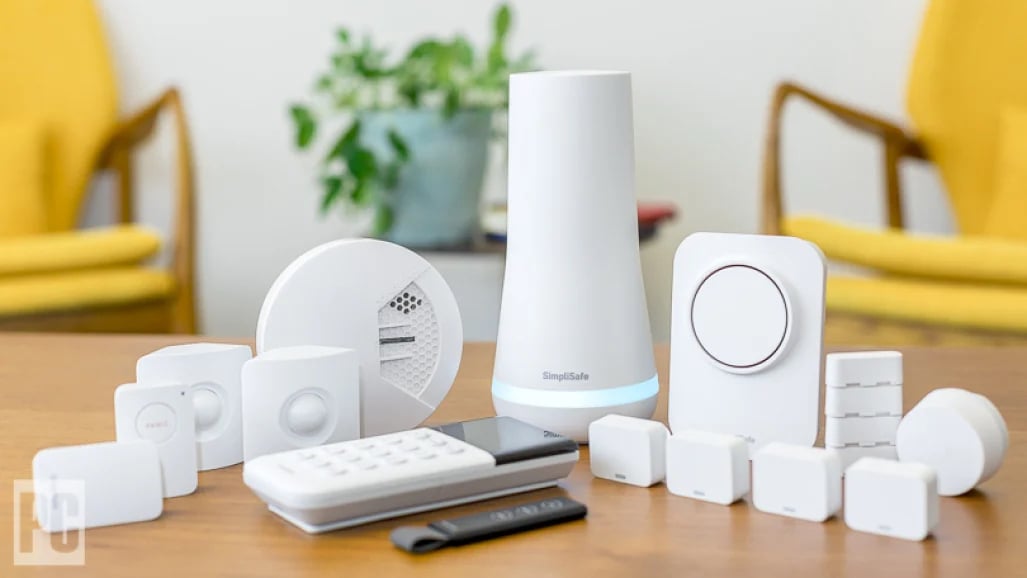
Enhance your home’s safety with devices such as:
Smart Locks: Control access remotely and monitor entry logs.
Security Cameras: Keep an eye on your property in real-time.
Motion Sensors: Detect unusual activity and send alerts.
D. Smart Plugs and Outlets
Control non-smart devices by plugging them into smart outlets, enabling remote control and scheduling capabilities.
E. Smart Appliances
Modern appliances like refrigerators, ovens, and washing machines now offer smart features, allowing for remote monitoring and control, as well as maintenance alerts.
D. Setting Up Your Smart Home
1. Install and Configure Devices
Follow manufacturer instructions to install each device, ensuring they are connected to your Wi-Fi network and integrated into your chosen ecosystem.
2. Create Automation Routines
Utilize your ecosystem’s app to set up automation routines, such as:
Good Morning: Gradually turn on lights, adjust thermostat, and start the coffee maker.
Away Mode: Turn off lights, lower thermostat, and activate security systems when you leave home.
3. Test and Troubleshoot
Regularly test your devices to ensure they function correctly. Address any connectivity issues by checking Wi-Fi strength and device compatibility.
E. Tips for a Successful Smart Home
Start Small: Begin with a few devices and expand gradually.
Ensure Compatibility: Stick to devices that work within your chosen ecosystem.
Secure Your Network: Use strong passwords and keep firmware updated to protect against cyber threats.
Stay Informed: Keep up with the latest smart home technologies and trends to continually enhance your setup.
Building a smart home is a rewarding endeavor that brings increased convenience, security, and efficiency to your daily life. By carefully planning, selecting compatible devices, and setting up thoughtful automation routines, you can create a personalized smart home that meets your unique needs and adapts to your lifestyle.